
no image

Roam Like Home with Talk Home

Stay connected globally with affordable roaming rates - seamless calls, texts, and 5G data.

Where are you travelling?

How to Activate Roaming in Your Phone

You only go through 3 Simple Steps to activate roaming with Talk Home Mobile:

Turn on Roaming on iPhone

  • Open the "Settings" app on your iPhone.
  • Go to "Mobile Data" and then to "Mobile Data Options."
  • Tap on the "Data Roaming" toggle button to activate roaming service on your device

Turn on Roaming on Android

  • Navigate to the "Settings" app on your Android phone.
  • Go to "Connections" and then "Mobile Networks."
  • Tap on the "Data Roaming" toggle button to activate roaming service on your device.

Important Check List Before You Travel

Explore quick answers to frequently asked questions about Talk Home Mobile and our SIM-only deals.

In some parts of the UK, your phone might accidentally connect to a network outside the UK, which could lead to roaming charges. This tends to happen near the border between Northern Ireland and the Republic of Ireland, and also along the southeast coast of England, where foreign networks are close by.

Talk Home Mobile offers FREE EU Roaming. That means you can use your UK data just as you would at home - without any extra fees for roaming.

Free EU Roaming lets you use your eligible UK plan allowance in supported EU destinations, subject to your plan allowance and fair usage policy.

For affiliate or partner enquiries, contact Talk Home Mobile support so the team can guide you to the right programme.

Before travelling near borders, check your selected network manually if needed and keep an eye on roaming alerts from your device.

Your eligible plan allowance can be used abroad in supported destinations. Standard rates may apply outside included destinations or allowances.

For business or affiliate enquiries, reach out to Talk Home Mobile support so the team can share the latest onboarding details.

Roam, Relax, and Stay Connected!

Connect smarter at affordable rates and transparent prices.

Check Roaming Rates

Frequently Asked Questions

Explore quick answers to frequently asked questions about Talk Home Mobile and our SIM-only deals.

To call a number in another country while roaming internationally, dial 00, the country code, area code, and the number you wish to call.

Your phone may connect to a nearby international network close to some borders. Free EU Roaming helps avoid extra EU roaming fees in eligible destinations.

EU roaming is intended for UK customers travelling occasionally. Extra usage beyond plan limits may incur charges.

Check mobile data and APN settings before you travel, then restart your phone once the settings are saved.

Keep roaming settings checked, monitor usage, and use roaming add-ons if you need more data while travelling.

Roaming add-ons help keep spending controlled when you need extra data while travelling.

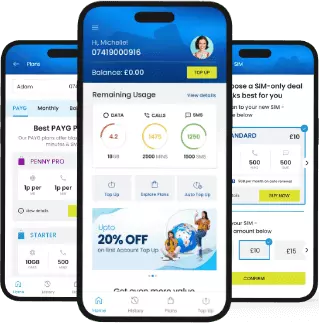
Get the My THM App

Your SIM-only plan, usage, payments, and everything else. All in one place.

Download app QR code

Download App

Scan the QR code to download the app on your phone.